TopRefHub Staffing & Rating Alerts - text consent
Operated by TopRefHub LLC. This is the public record of the in-app opt-in. Carriers and reviewers can check it here without signing in.
TopRefHub Staffing & Rating Alerts are for officiating only: game assignments, open games an official can claim, schedule changes, and replacement requests. Post-game rating links by text: coming soon. For now, ratings arrive by email. These texts are not marketing, promotions, or plan upsells. Every text starts with "TopRefHub:".
Adults only. You must be 18 or older to opt in, and we never text minors. Texts go to officials and other game-day staff a league invites. We do not text coaches. League staff cannot enter a number for anyone or opt anyone in.
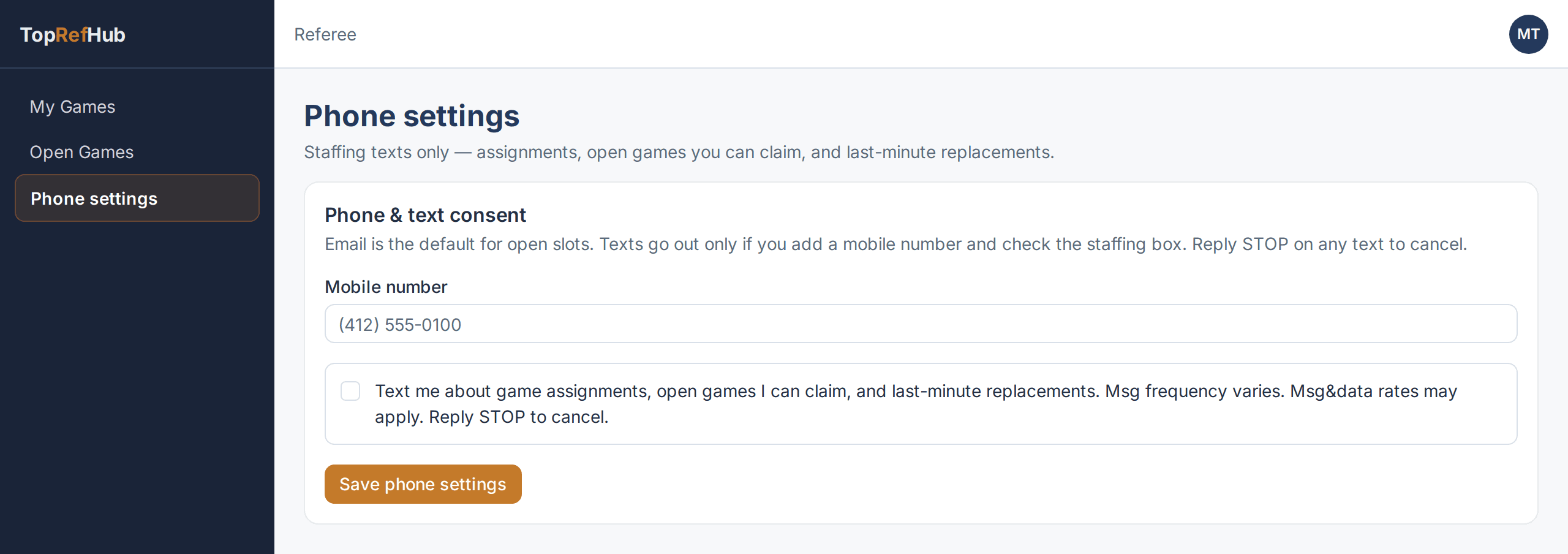
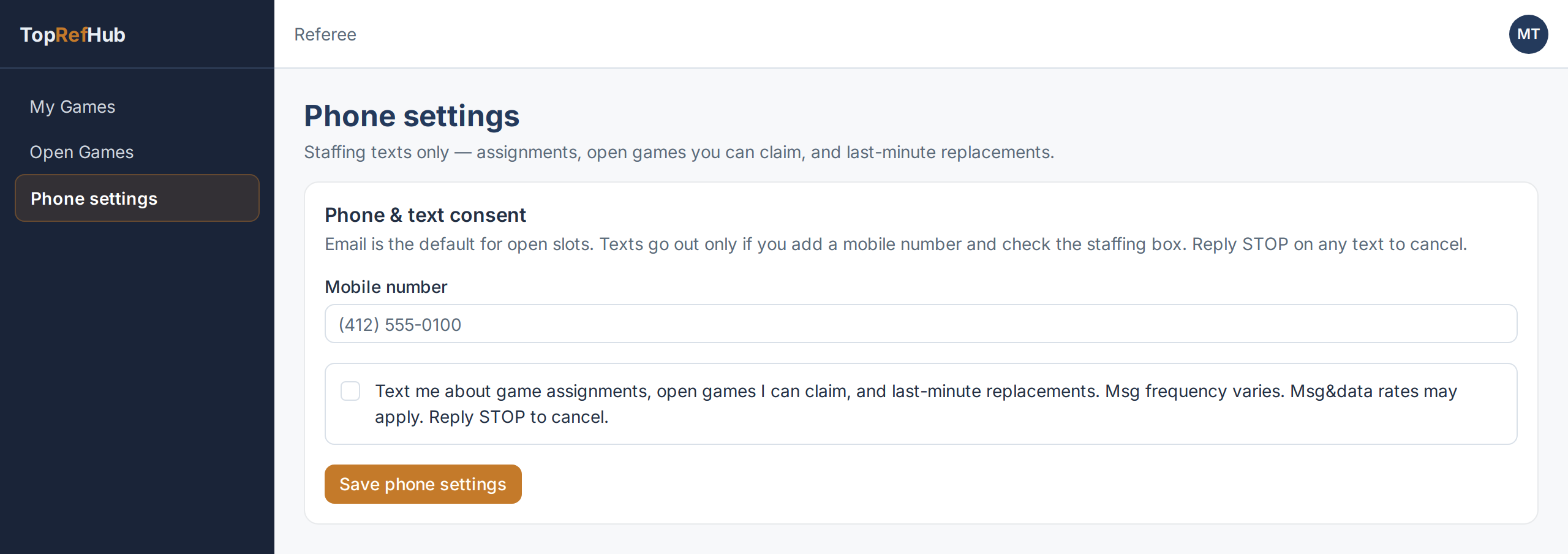
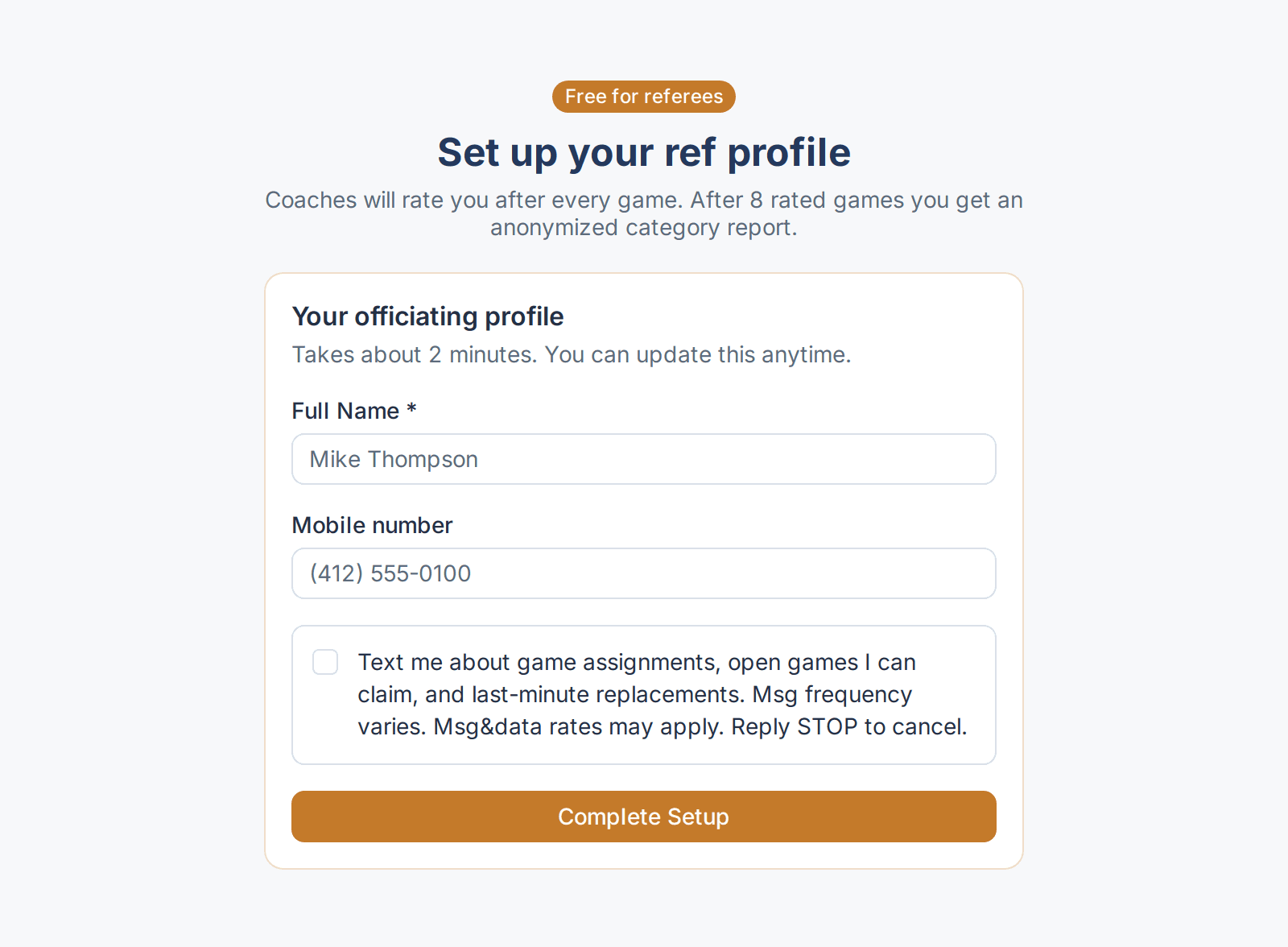
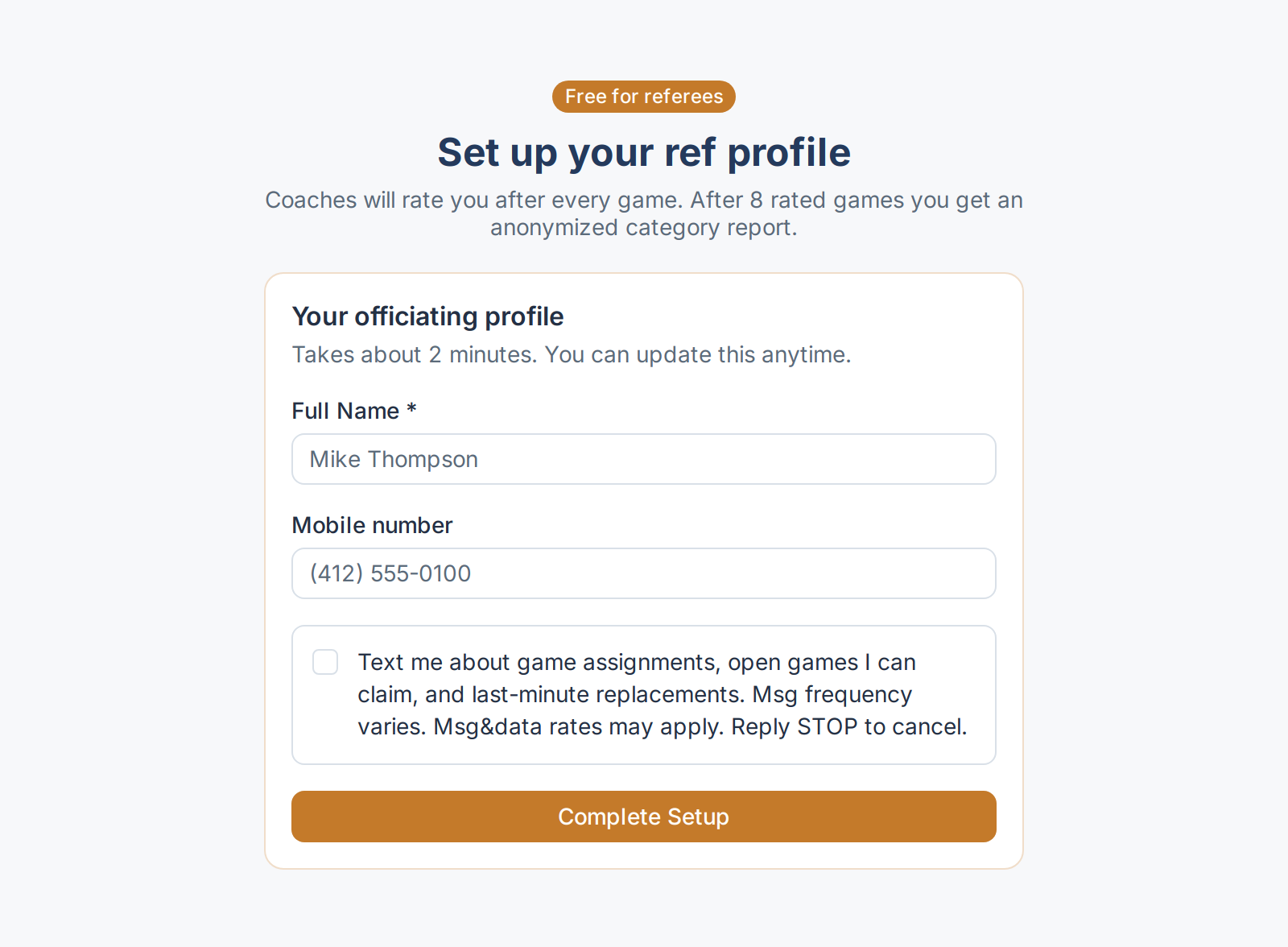
After an official signs in, they may enter their own mobile number and check this box on referee profile setup or later on Phone settings. The box and its text are the same in both places. Terms and Privacy are linked right at the box:
Yes, text me TopRefHub Staffing & Rating Alerts at this number: game assignments, open games I can claim, schedule changes, replacement requests, and post-game rating links and reminders. I confirm I am 18 or older. Optional - not required to use TopRefHub. Msg frequency varies. Msg & data rates may apply. Reply HELP for help, STOP to cancel. Terms: toprefhub.com/terms Privacy: toprefhub.com/privacy
The box is unchecked by default. Checking it is not required to create an account, use TopRefHub, or buy a subscription. Email remains the default for every notice. After someone opts in, we text a one-time code to confirm the number.
Message frequency varies. Msg & data rates may apply. Reply STOP to cancel, START to resume, HELP for help.
Help: reply HELP, email support@toprefhub.com.
We send routine texts between 8am and 9pm local time. Urgent same-day replacement requests may arrive outside those hours.
No mobile information will be shared with third parties or affiliates for marketing or promotional purposes. We do not sell or share mobile numbers or SMS consent.
Full text rules: Terms (https://toprefhub.com/terms) and Privacy (https://toprefhub.com/privacy).
These screens show the live Phone settings and referee setup pages. The SMS box is shown in its default state: not checked. The same screens are available as static files, viewable without an account:
Phone settings
Optional staffing and rating texts. The box starts unchecked. Coaches get no SMS.
Set up your ref profile
Coaches will rate you after every game. After 8 rated games you get an anonymized category report.